Keyframes: multiple states, one Display
Build several keyframes into one Display, each with its own layout, media and styling, then let it cycle automatically in your screens.
Tags
Feature
Activate
Released
Ready to activate your content? Talk to our team.
Some Displays need to do more than hold one layout. A stadium concourse might need to rotate through several full-screen sponsor and matchday moments, and some venues might need whole-screen takeovers for CTAs and cross-promotions. Until now, a Display only had one state to work with, so covering moments like these meant building separate Displays and switching between them manually. With Keyframes, one Display can now hold numerous states and automatically switch between them.
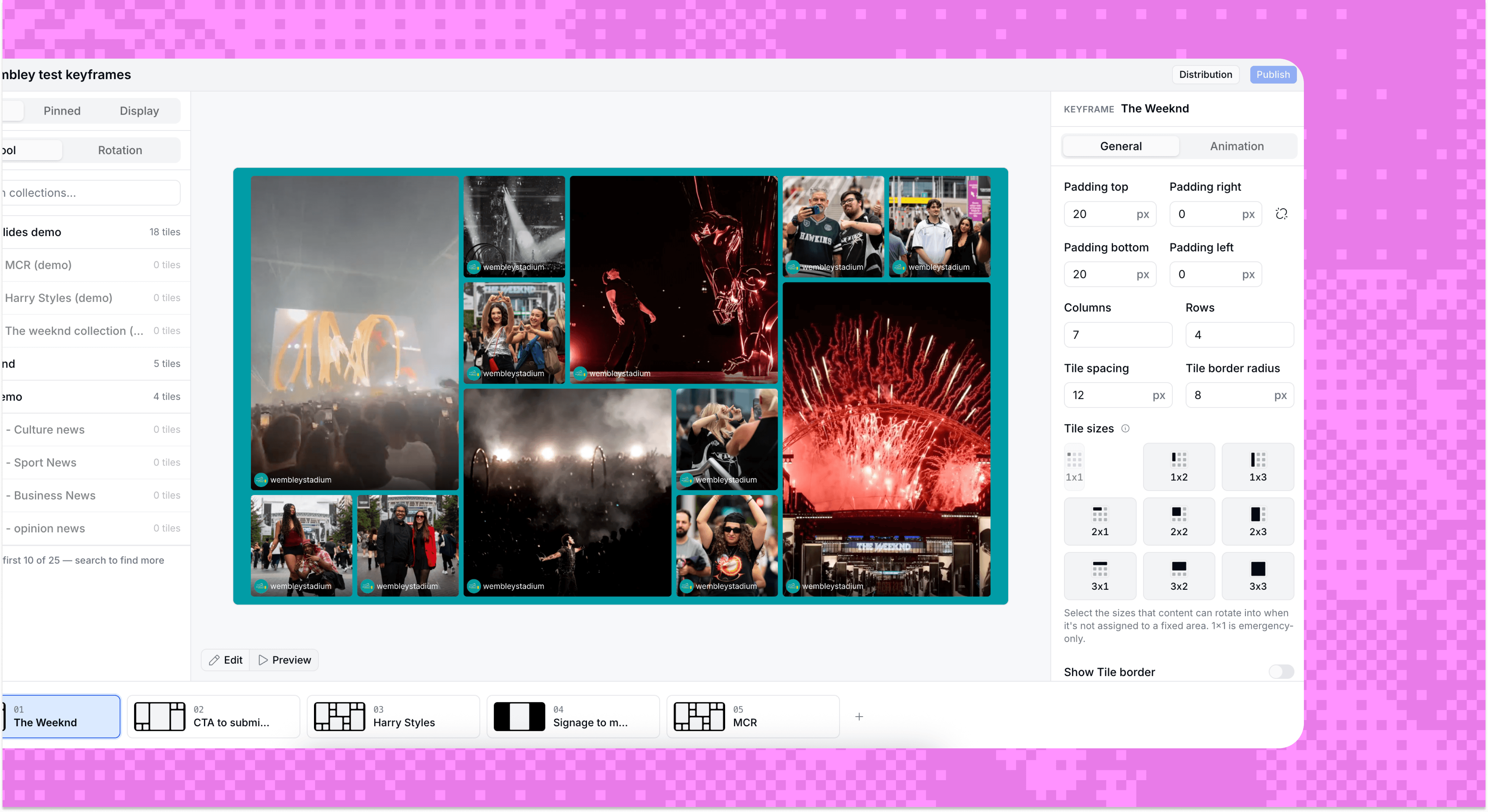
Switch, reorder, duplicate
Add as many keyframes as a Display needs, then rename each inline, drag to reorder or duplicate one to start the next from an existing look. Switching between keyframes runs on whatever time interval you select. And a Preview toggle plays the loop back right there in the editor, so you can check timing and transitions before it goes live.
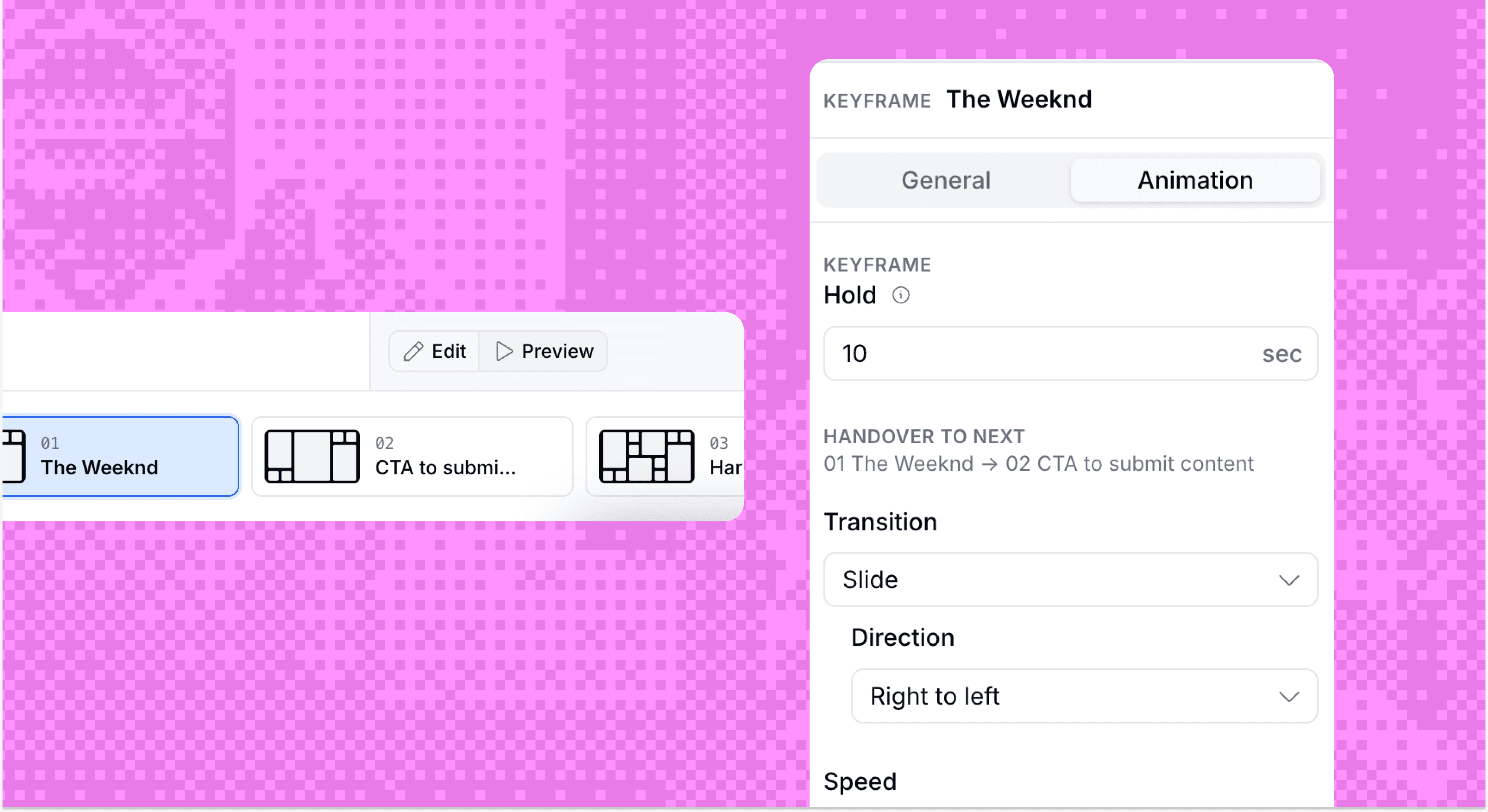
Its own look, every time
Everything shown on screen, from grid layouts and padding to tile sizing, borders, backgrounds and animations, can be customised keyframe to keyframe. Display-level styling is retired for everything except resolution, so every other setting now lives on the keyframe itself.
Runs itself on screen
The Display loops through every keyframe in order, with a slide or fade transition at whatever speed fits the space. Delete a keyframe mid-loop and the screen picks up cleanly with what's left, no manual reset needed.
More updates


Ready to build something your audience will remember?
Bring your world of content into one connected content system - and make every piece work harder.
Trusted by brands that take content seriously